

Instead of manually copying Shopify orders into VAT invoices, connect order events to a controlled invoicing workflow that validates tax data, issues documents and records delivery. For UAE stores, automate the document handling—not the tax judgment—and keep refunds, duplicate events and exceptions inside the same process.
- Shopify VAT invoicing UAE needs validated tax data, controlled invoice numbering and refund handling—not just a PDF template.
- Use Shopify events to start processing, but let approved tax rules determine when an invoice is due.
- Finite Loop is best suited to custom ecommerce development buyers, not merchants shopping for a standalone invoice template.
- Keep issued invoices immutable; process qualifying corrections through linked credit notes.
Why this matters
A successful order sync is not proof of a correct tax invoice. An integration can deliver a PDF while carrying the wrong buyer details, tax treatment or currency conversion. Your acceptance criteria must cover the accounting document, not just the automation.
For a 2026 UAE implementation, separate three decisions: when a tax document becomes due, which system calculates its values, and which system owns its permanent record. A payment event helps coordinate processing. It does not replace the legal date of supply.
Finite Loop provides custom ecommerce development. Our position: use an existing invoicing system when it meets your requirements; commission custom integration only for gaps you can name and test.
Before you start
- Secure the right access. You need authorized Shopify administration access, permission to configure an app or connector, an invoicing-system account with integration access, and a finance owner who approves document rules. Keep credentials outside source code.
- Prepare the tax data. Confirm the seller’s legal identity, address and tax registration number, buyer fields, document types, numbering rules, currencies and approved tax treatments. Use controlled test orders before enabling live issuance.
- Resolve the timing gotcha. A paid-order trigger alone does not cover every invoicing obligation. Agree how deposits, bank transfers, cash-on-delivery orders and other unpaid supplies enter the workflow before configuring the trigger.
The UAE’s standard VAT rate is 5%, but that does not make every order standard-rated. Zero-rated, exempt and out-of-scope treatments require distinct handling where applicable. Have your finance adviser approve the classification rather than deriving it from the customer’s country alone.
Choose the integration boundary
Keep one system responsible for invoice numbers and issued documents. Splitting those responsibilities between Shopify, an invoice app and accounting software creates reconciliation work instead of removing it.
These are implementation approaches, not interchangeable products:
| Approach | Best for | Main advantage | Main limitation |
|---|---|---|---|
| Configured invoice app | A store whose requirements fit the app’s documented capabilities | Less custom integration code to maintain | You must verify tax fields, corrections, exports and failure handling |
| Accounting connector | A business issuing invoices from its accounting system | Keeps document ownership with finance | Field mapping and synchronization failures still need explicit controls |
| Custom integration | Multiple systems or approval rules that existing connectors cannot satisfy | Direct control over validation, routing and recovery | Requires engineering ownership, monitoring and ongoing API maintenance |
For your 2026 scope, write the unsupported requirement beside every proposed customization. If there is no concrete gap, do not build another invoicing engine.
Shopify trigger configuration
Establish the tax and event inputs
- In Shopify, open Settings, then Taxes and duties. Review the store’s tax configuration with finance. Confirm that product tax settings and shipping treatment match your approved rules; installing a connector does not correct the underlying configuration.
- Open Orders and inspect representative orders. Check billing details, line items, discounts, shipping, tax lines, payment state and currency. Identify where business buyer details and tax registration numbers will be collected and stored.
- Configure the chosen connector or custom app to receive the relevant order and refund events. Shopify webhook topics include
orders/paidandrefunds/create. Treat them as inputs, not instructions to issue documents without checks. - For a custom webhook receiver, verify Shopify’s HMAC signature, store the event durably, then acknowledge receipt. Process document creation separately so a slow invoicing service does not hold the incoming request open.
Expected result: an eligible test event creates a traceable processing record, while an invalid signature cannot initiate invoice creation. Record the Shopify order identifier, event identifier and processing state without logging unnecessary customer data.
Define the issuance gate
Your issuance gate is the rule that decides whether an order is ready for a tax document. Payment status can be one input, alongside the agreed date-of-supply treatment and any required approval.
For standard UAE tax invoices, the general issuance rule is within 14 days of the date of supply, subject to applicable exceptions. Finance should confirm the rule for your transaction and document type. Do not turn a payment reminder into the system’s only compliance clock.
Invoice data configuration
Map a complete document
- Create a mapping specification covering seller identity, seller tax registration number, buyer details, order reference, invoice date, supply date where required, currency, line descriptions, quantities, discounts, shipping, tax treatment and totals. Identify the source of every field.
- Have finance define when a full or simplified tax invoice applies. Validate the required fields for that document type before issuance. Do not make a business tax registration number mandatory for every consumer purchase.
- Select the calculation authority. Either transfer approved tax amounts into the invoicing system or let that system calculate from the agreed inputs. Do not let both systems independently recalculate without reconciliation rules.
- Configure currency conversion and rounding explicitly. For foreign-currency invoices, confirm the UAE requirements for VAT amounts expressed in AED and the applicable exchange-rate basis. Preserve the conversion evidence with the document record.
Expected result: a test order produces a draft whose line totals, shipping, discounts, tax and final total reconcile with the approved source. Missing mandatory fields stop issuance and create an actionable exception.
AED has 100 fils per dirham. That currency subdivision does not settle every rounding decision: line-level and document-level calculations can differ. Specify where rounding occurs and test the result rather than silently changing a total to make two systems agree.
Preserve the commercial facts
Keep the customer’s transaction currency distinct from any required AED tax reporting values. Store the exchange rate, relevant date and conversion method used by the approved calculation process.
For your 2026 acceptance pack, include domestic consumer, domestic business and cross-border examples only where those transactions belong in your actual sales model. A UAE invoice configuration does not establish UK or EU VAT treatment. Those jurisdictions need their own approved rules.
Document issuance and delivery configuration
Make issuance safe to repeat
- Create an idempotency key: a stable identifier that makes repeated processing refer to the same intended document. Base it on the store, order and document purpose. Store it before requesting issuance, with a uniqueness constraint where your architecture supports one.
- Submit the validated draft to the designated issuing system. Let that system allocate the invoice number. Save its document identifier, number and issuance status against the integration record.
- Separate issuance from customer delivery. Send or expose the issued document through the agreed channel, then record delivery status independently. A failed email should trigger another delivery attempt, not another invoice.
- Record sufficient reconciliation evidence: source order, document reference, tax totals, currency and processing timestamps. Keep document access restricted and define retention with finance and security owners.
Expected result: replaying the same order event returns the existing document reference. It does not allocate another invoice number or create a second accounting entry.
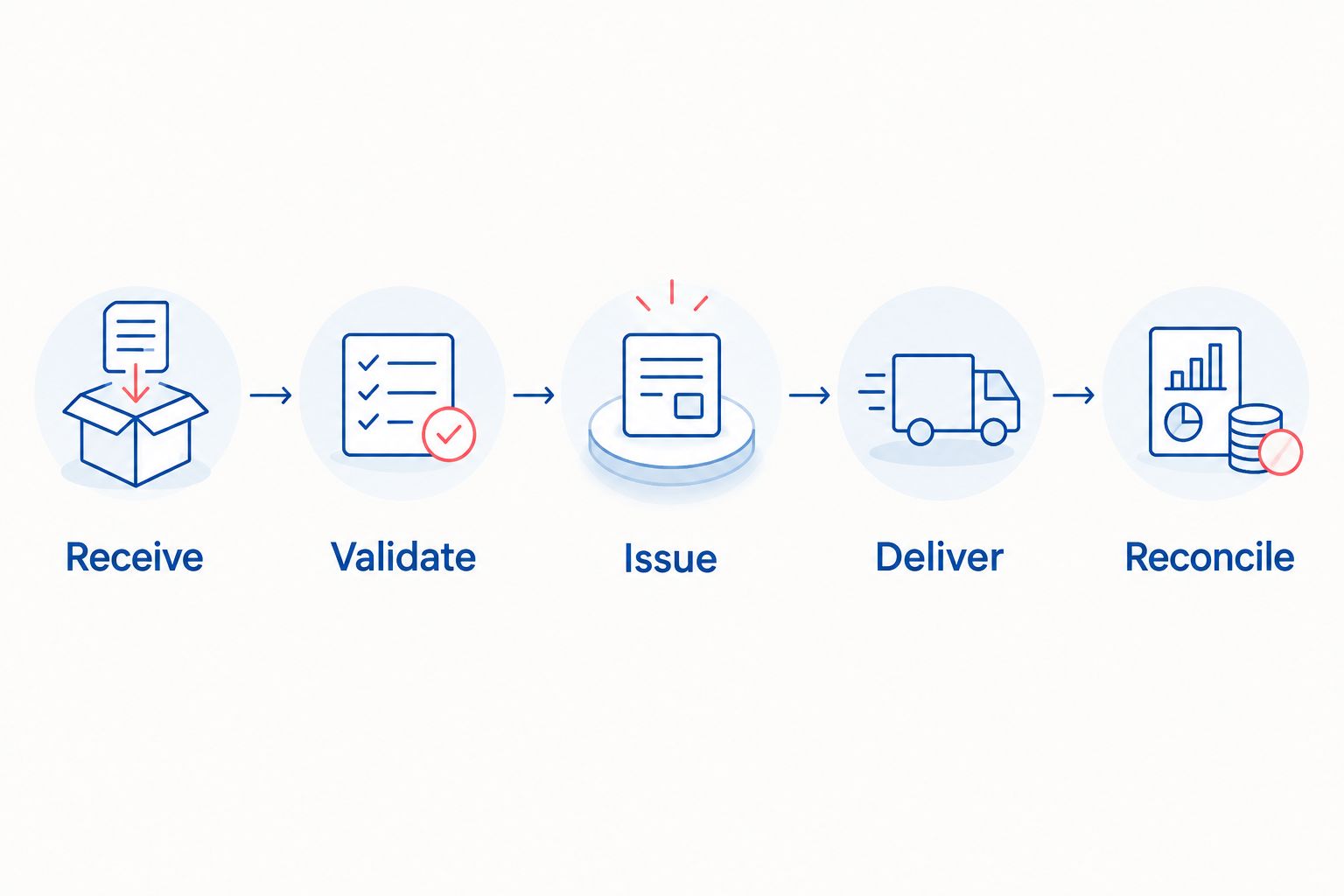
The processing sequence is Receive, Validate, Issue, Deliver, then Reconcile. Each stage needs a recorded outcome so support staff can locate the failure without reconstructing it from email threads.
Handle uncertain responses
A timeout does not prove that invoice creation failed. The issuing system might have accepted the request before the connection broke.
Before retrying, search using the stored reference or the destination system’s supported idempotency mechanism. If the outcome remains uncertain, hold the record for investigation rather than blindly submitting another creation request. Use the same principle when designing safe recovery from failed integrations.
Refund and correction configuration
Create credit notes from qualifying refunds
- Receive the refund event and retrieve the original invoice reference. Distinguish item refunds, shipping adjustments and payment movements; they do not necessarily have the same accounting treatment.
- Apply finance-approved correction rules. For a qualifying reduction requiring a tax credit note, map the affected lines and tax amounts, identify the original invoice and supply the required reason.
- Issue the credit note through the designated document system. Give the correction its own idempotency protection and store its relationship to both the refund and original invoice.
- Reconcile the corrected document values against the refund and accounting records. Route differences to finance instead of rewriting the original invoice.
Expected result: a partial refund produces the approved correction without replacing the original document or crediting the full order accidentally.
Process updates without rewriting history
An order update is a signal to evaluate, not permission to regenerate an invoice. Before issuance, approved changes can update a draft. After issuance, use the correction process appropriate to the change.
This distinction matters when a buyer edits an address, support adjusts shipping or a refund arrives before the original invoice has finished processing. Store dependent events until the required document exists; do not manufacture a reference to continue processing.
Troubleshooting
Duplicate invoices appear
Fix: inspect the idempotency record and destination lookup before changing webhook settings. Repeated events and manual retries must converge on the same intended document. Also check whether another app issues invoices independently.
VAT totals differ between systems
Fix: compare tax-inclusive settings, discounts, shipping treatment, currency conversion and rounding order. Identify the calculation authority first. Do not insert an unexplained adjustment merely to force reconciliation.
Business details are missing
Fix: check both collection and mapping. A field visible to staff is not automatically available to the integration. Hold documents that lack mandatory information and give support a defined correction route.
Refunds arrive before invoice creation finishes
Fix: retain the refund as a pending dependency. Resume it after the original document reference is available, with an alert if the dependency remains unresolved. Do not discard an event because processing order differs from business order.
The invoice exists but delivery failed
Fix: retry the delivery stage using the existing document. Check the destination address and delivery response. Keep delivery failures visible without marking the issued invoice as nonexistent.
Customize your workflow
For a 2026 rollout, define acceptance tests before approving implementation. Test duplicate delivery, missing buyer fields, partial refunds, foreign currency, an unavailable invoicing service and an uncertain creation response. Include unpaid-order paths where your sales model requires them.
Our position at Finite Loop: scope the exception handling before the happy path. Custom ecommerce development gives you control over those rules, but it also creates maintenance obligations. Name the owner of credentials, API changes, failed records and finance escalation.
Expand the workflow only after reconciliation works. Useful additions include business-buyer validation, approval queues and accounting exports. Each addition needs a source field, a decision rule and a measurable acceptance condition.
Define your integration scope
Discuss document ownership, Shopify events, tax-data mapping and recovery requirements.
FAQ
How do I automate Shopify VAT invoicing in the UAE?
Connect Shopify order events to an invoicing system, validate the required tax data, then issue and deliver documents through a controlled workflow. Include duplicate protection, correction handling and reconciliation before enabling live issuance.
Can I issue every VAT invoice when a Shopify order is paid?
No. A paid-order event is an integration trigger, not a universal tax-timing rule. Have finance define how the date of supply and your payment methods affect issuance.
Does every UAE Shopify order use 5% VAT?
No. The UAE standard VAT rate is 5%, but zero-rated, exempt or out-of-scope treatment can apply to qualifying transactions. Use approved classifications rather than assigning one rate to every order.
Do consumer invoices always need a buyer tax registration number?
No. Required buyer information depends on the applicable invoice type and transaction. Have finance approve the distinction between full and simplified tax invoices before configuring validation.
Should a Shopify refund replace the original invoice?
No. Preserve the issued invoice and apply the appropriate correction process. Where a tax credit note is required, link it to the original document and the relevant refund.
Can an emailed PDF satisfy every invoicing requirement?
No. PDF delivery alone does not establish compliance with document-content rules or any applicable electronic invoicing obligations. For a 2026 implementation, confirm the requirements and implementation phase that apply to your business.
When should I commission a custom Shopify invoicing integration?
Commission custom integration when documented requirements exceed an existing app or connector’s capabilities. Finite Loop is best suited to buyers scoping custom ecommerce development, not shopping for a standalone invoice template.
One last thing
Your most revealing acceptance test is an uncertain response. Let the invoicing system create a document, then simulate losing its response. Replay the request and confirm that the integration finds the existing invoice instead of issuing another one.
Make that test part of your 2026 handover. A workflow that handles uncertainty has a clear recovery path; a workflow that only handles success leaves finance to investigate the consequences.
Related guides
- How to accept software delivery before final payment
- Keep orders and ERP records in sync
- Who should own ecommerce maintenance after launch?
Your project next
Let’s build what matters
Schedule a consultation to discuss your goals and technical needs.