
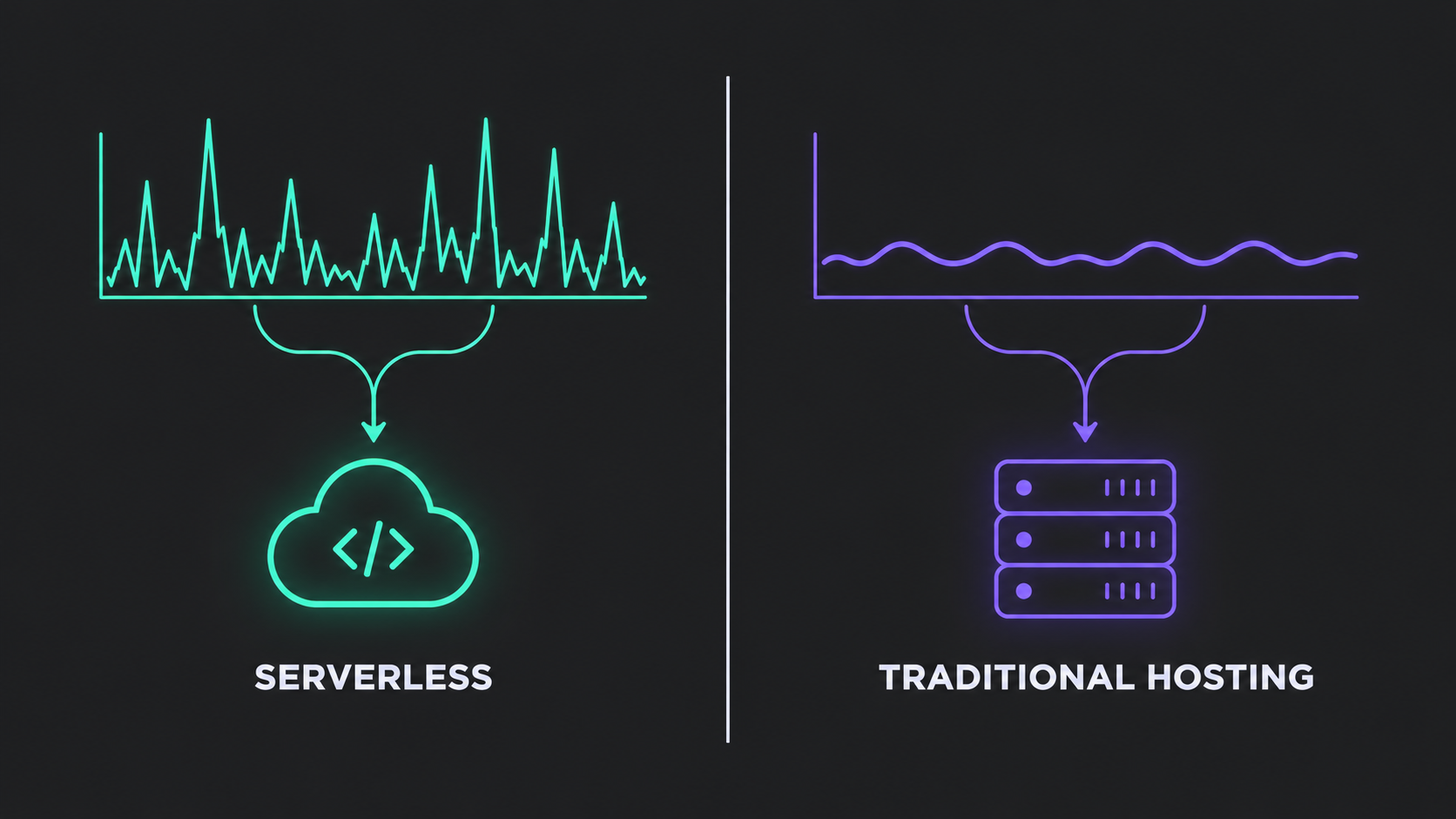
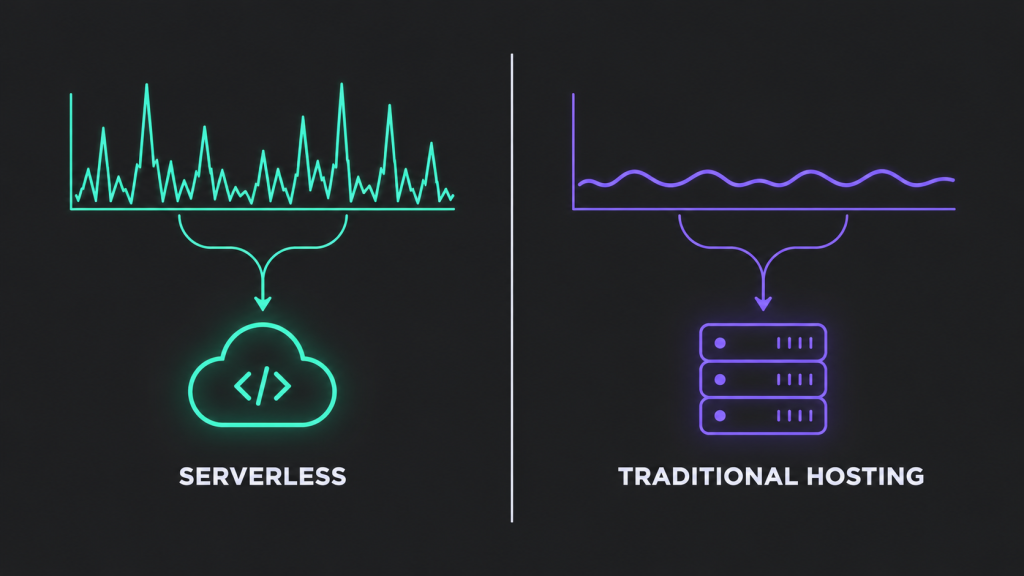
Serverless vs traditional hosting both scale a SaaS product — the right choice depends on your traffic shape, not which option sounds more modern. Serverless (AWS Lambda, Google Cloud Functions, Azure Functions) fits spiky, unpredictable, event-driven workloads and small teams without dedicated DevOps capacity. Traditional hosting — VPS, dedicated servers, or containers on Kubernetes — fits steady, high-volume traffic, long-running processes, and teams that need control over the runtime. Most growing SaaS products end up running a hybrid of both rather than picking one architecture for the entire system.
- Serverless wins on operational simplicity and usage-based cost for spiky or unpredictable traffic, but it struggles with cold starts, execution time limits, and cost efficiency under constant, heavy load.
- Traditional hosting (VPS, dedicated, or containerized) wins on cost predictability at steady scale and on control, but it puts capacity planning and server management back on your team.
- The decision isn’t binary — most SaaS products that have scaled past MVP run a mix: serverless for event-driven jobs and webhooks, traditional or containerized infrastructure for the core, latency-sensitive application.
- Thefiniteloop’s position: pick based on your busiest workload’s traffic pattern, not your newest workload’s hype — and revisit the decision at each major growth stage, because the right answer at 100 users is rarely the right answer at 100,000.
If you’re still in the early build phase, this decision usually comes right after you’ve scoped how long it will take to build your SaaS MVP — hosting architecture is one of the first infrastructure calls that shapes your cost structure for years afterward.
How do you choose between serverless and traditional hosting?
Run through these five questions in order. Each one narrows the decision, and by the end most teams find the answer is “serverless for some parts, traditional for others” rather than an all-or-nothing choice.
- What does your traffic actually look like? Spiky and unpredictable favors serverless; steady and high-volume favors traditional or containerized hosting.
- How latency-sensitive is the workload? If a cold start would degrade a core user-facing flow, that flow needs either a traditional server, a container, or a serverless configuration designed to stay warm.
- Is the workload event-driven or long-running? Webhooks, scheduled jobs, and background processing suit serverless. Long-running, stateful, or continuously active processes often don’t.
- Does your team have dedicated infrastructure capacity? Smaller teams without a DevOps function get more leverage from a managed, serverless model. Teams with that capacity can extract more value from the control traditional hosting offers.
- How much vendor lock-in can you tolerate? Serverless platforms tie you to a provider’s proprietary APIs and tooling more tightly than a containerized workload running on, say, standard Kubernetes.
| Factor | Serverless | Traditional / dedicated hosting |
|---|---|---|
| Cost model | Usage-based — pay per execution/request | Pay for provisioned capacity, whether used or not |
| Scaling | Automatic, handled by the provider | Manual or policy-based autoscaling you configure |
| Operational overhead | Low — no servers to patch or manage | Higher — your team owns provisioning, patching, monitoring |
| Latency behavior | Can spike on cold starts for idle functions | Consistent once the server or container is running |
| Best-fit workload | Event-driven, spiky, short-running tasks | Steady, high-volume, long-running, or stateful processes |
| Control over runtime | Limited — provider sets the constraints | Full control over OS, runtime, and networking |
| Cost at sustained high load | Can exceed dedicated infrastructure costs | Typically more cost-efficient at steady, high volume |
Traffic shape and predictability
Match the hosting model to how your traffic actually behaves, not how you expect it to behave someday. A SaaS product with bursty usage — a reporting feature that spikes at month-end, a webhook receiver that fires in clusters — gets real value from serverless, because you’re not paying for idle capacity between bursts. A product with a steady baseline of continuous requests, like a core API that’s hit constantly throughout the business day, often costs less on traditional or containerized infrastructure, because serverless pricing is built around intermittent use. If you don’t have production traffic data yet, look at your closest comparable workload or run a staging-environment load test before committing either way.
Latency sensitivity and cold starts
Cold starts are the single biggest reason serverless gets ruled out for latency-sensitive, user-facing paths. When a serverless function hasn’t been invoked recently, the platform has to reinitialize it before it can respond, which adds unpredictable delay — worse for heavier runtimes. Keep-warm settings and provisioned concurrency reduce this but add back some of the cost predictability serverless was supposed to solve.
It’s also worth knowing that platform limits shift: AWS Lambda’s long-standing synchronous execution cap is still 15 minutes, but in September 2026 AWS introduced Lambda Managed Instances, which support a 90-minute timeout for asynchronous and event-source-mapping invocations specifically — a meaningful change for longer background jobs, though it doesn’t apply to every invocation type. Check your target provider’s current limits directly before assuming either number applies to your workload.
Workload type: event-driven vs. long-running
Serverless is built for short, discrete units of work — not continuously running processes. Webhook handling, image processing on upload, scheduled report generation, and queue consumers are a natural fit. A long-running background job, a persistent WebSocket connection, or a process that needs to maintain in-memory state across requests fits traditional or containerized hosting better, because serverless functions are inherently stateless and bounded in execution time. If your SaaS product has both kinds of workloads — most do once they pass MVP — this is usually the clearest signal that you’ll end up with a hybrid architecture rather than a single hosting model for everything.
Team capacity and operational overhead
Serverless shifts operational work to the provider; traditional hosting keeps it with your team. A small engineering team without a dedicated DevOps or SRE function will generally ship faster and more safely on serverless, because patching, scaling policy, and infrastructure redundancy are the provider’s problem. A team with existing platform engineering capacity may prefer the control that traditional or container-based hosting gives them — and may already have the tooling to make that control cheap to maintain. Be honest about which category your team is actually in today, not which one you plan to grow into next year.
Vendor lock-in and portability
Serverless architectures tend to lean on a provider’s specific managed services, which raises the cost of switching later. Functions that call proprietary queue, auth, or storage APIs directly are harder to move than code built against portable, open standards. This doesn’t mean avoid serverless — it means budget for the lock-in as a real cost, and where possible use frameworks or abstraction layers that keep your business logic separable from the provider-specific plumbing. Traditional hosting and container-based workloads (Kubernetes, Docker) are generally more portable across providers by design.
Cost at scale — the number that changes everything
The cost comparison between serverless and traditional hosting flips as sustained load increases. At low or spiky volume, serverless’s pay-per-execution model is usually cheaper because you’re not paying for idle servers. As invocation volume becomes constant and high, that same pay-per-execution model can cost more than a fixed block of dedicated or reserved capacity sized for that load. There isn’t a single break-even number that applies across providers and workloads — it depends on function size, memory allocation, and request volume — so this is a case where modeling your actual projected usage against both pricing structures matters more than any general rule of thumb.
Turn this into a scope decision
A serverless vs traditional hosting decision rarely needs to be made once, company-wide. Before you commit, write down: (1) which specific services or endpoints are spiky versus steady, (2) which have hard latency requirements, (3) which run longer than your serverless platform’s execution cap, (4) your team’s current infrastructure capacity, and (5) your tolerance for provider lock-in on each piece. Most growing SaaS products end up assigning serverless to background jobs, webhooks, and scheduled tasks, and traditional or containerized hosting to the core, latency-sensitive application layer — decided workload by workload rather than as one company-wide policy.
Not sure how this maps onto your current architecture? Book a short consultation with Thefiniteloop and we’ll walk through your traffic patterns and team setup together.
Can you mix serverless and traditional hosting in the same product?
Yes — this is how most mature SaaS products actually run. It’s common to see a core API on containers or dedicated servers for consistent latency, with serverless functions handling webhooks, scheduled jobs, image or file processing, and other event-driven work around the edges.
Does serverless make sense for a brand-new SaaS MVP?
Often yes, specifically because it removes infrastructure management while you’re still validating the product. Early-stage traffic is usually low and unpredictable, which plays to serverless’s strengths, and a small team benefits from not having to manage servers before product-market fit is proven. Revisit the decision once usage patterns stabilize.
Frequently asked questions
Is serverless always cheaper than traditional hosting?
No. It’s typically cheaper for low, spiky, or unpredictable traffic, but can cost more than dedicated infrastructure once a workload runs at constant, high volume.
What’s the biggest technical limitation of serverless hosting?
Cold start latency and bounded execution time. Both affect whether serverless is viable for latency-sensitive or long-running workloads — check your specific provider’s current limits before deciding.
Do I need a DevOps team to run traditional hosting?
Not strictly, but it helps. Traditional and containerized hosting put provisioning, scaling, and patching on your team, so the less infrastructure capacity you have in-house, the more that overhead will be felt.
Can I switch from serverless to traditional hosting later, or vice versa?
Yes, but it’s real migration work, not a config change. The more a serverless implementation depends on provider-specific services, the more rework is involved in moving it — which is why portability is worth considering up front.
Should a growing SaaS product ever use only one hosting model?
It’s possible, but less common as products mature. Most SaaS platforms that have scaled past their first year run a hybrid rather than picking one side of the serverless vs traditional hosting divide, assigning each workload to whichever model fits its traffic pattern.
How do I estimate serverless costs before committing?
Model your expected invocation volume, average execution time, and memory allocation against your provider’s current published pricing. Because pricing details and limits change — as they did with AWS Lambda’s 2026 timeout update — always check the provider’s current documentation rather than relying on older cost estimates.
Related guides
- How long does it take to build a SaaS MVP?
- How much does a SaaS MVP cost to build?
- What should you outsource when building a multi-tenant SaaS platform?
Weighing serverless against traditional hosting for your own product? Book a consultation with Thefiniteloop and we’ll help you map the right architecture to your actual traffic and team.
Your project next
Let’s build what matters
Schedule a consultation to discuss your goals and technical needs.