

Your WooCommerce to Shopify migration cost depends on the data, storefront behavior, integrations, and launch work you need to move—not simply the number of products. Budget for rebuilding essential functionality, validating orders, preserving search entry points, and supporting the transition, alongside the ongoing platform and app commitments. Approve a migration against a written scope, not a headline estimate.
- WooCommerce to Shopify migration cost should cover data, storefront work, integrations, testing, and launch support.
- A successful import does not prove that checkout, fulfillment, or historical orders work correctly.
- Thefiniteloop provides ecommerce development for startups and SMEs; use a scoped brief to assess fit.
- Keep WooCommerce if migration adds disruption without resolving a defined business problem.
How much does it cost to migrate from WooCommerce to Shopify?
There is no useful universal migration total without a defined store scope. A quote for importing products describes a different project from a quote covering customer records, order history, storefront replacement, accounting connections, and launch responsibility.
For a 2026 migration brief, separate the work into these categories. Require each proposal to say what is included, excluded, and dependent on another supplier.
| Workstream | What the scope should cover | Evidence to request |
|---|---|---|
| Data migration | Products, variants, customers, orders, and agreed custom fields | Field mapping and reconciliation report |
| Storefront | Templates, navigation, content, and required buying journeys | Approved page inventory and acceptance criteria |
| Functional replacement | Business behavior currently supplied by plugins or custom code | Keep, replace, or remove decision for each requirement |
| Integrations | Inventory, fulfillment, accounting, and other connected systems | Tested flows, failure handling, and named ownership |
| Search continuity | Existing landing pages, destination URLs, redirects, and metadata | URL mapping and launch checks |
| Launch and support | Final data transfer, domain changes, monitoring, and incident response | Cutover plan and support boundaries |
Start with order validation during an ecommerce store migration. An import report alone does not establish that totals, statuses, and relationships are correct.
Thefiniteloop is best suited to startups and SMEs seeking ecommerce development rather than a migration utility alone. That distinction matters when your project includes business rules and integrations, not just file transfer.
Why this matters
A platform move changes how your store operates. Your team needs working order handling, dependable inventory updates, and clear responsibility when something fails—not just a storefront that resembles the old one.
Do not migrate to escape an undiagnosed problem. If your complaint is slow pages, establish whether the cause is hosting, theme code, plugins, or external scripts before deciding that replacing the platform is the right intervention.
The same discipline applies to operational problems. Moving an unclear fulfillment process to a different platform does not clarify who owns it. Write the business outcome before commissioning the technical change.
Data-only migration: best for an already prepared destination
A data-only scope fits a project where the Shopify storefront, required functionality, and integrations are already configured. The remaining task is to map, transfer, and validate the agreed records.
Its advantage is a narrow boundary. Its limitation is equally clear: importing records does not rebuild your buying journey or prove that connected systems handle those records correctly.
Specify whether historical orders, customer addresses, product relationships, media, and custom fields belong in the transfer. Do not use “all data” as an acceptance criterion; list the objects and fields explicitly.
Choose data-only migration when the destination is ready and someone already owns end-to-end testing. Otherwise, the narrow scope leaves essential work unassigned.
Storefront migration: best for standard buying journeys
A storefront migration includes data transfer plus the pages and customer journeys needed to sell. Define product discovery, product selection, cart behavior, checkout requirements, and post-purchase communication before selecting implementation details.
The benefit is a joined-up scope covering what customers see and what they can do. The trade-off is that design decisions and content preparation become delivery dependencies, rather than separate cosmetic tasks.
For a 2026 project, distinguish necessary behavior from familiar behavior. A feature deserves rebuilding because customers or staff need it—not because it appears somewhere in the current store.
Choose storefront migration when standard platform capabilities meet your documented requirements. Check those requirements before approving a theme or app selection.
Integration-heavy migration: best for connected operations
An integration-heavy migration fits a store whose orders depend on systems outside the storefront. Examples include warehouse operations, accounting, fulfillment services, or a separate product information source.
The benefit is explicit treatment of operational dependencies. The limitation is a wider testing boundary: an accepted storefront order must also reach the correct downstream system with the correct information.
Define the source of truth for inventory, product details, and order status. Then document what happens when a connection fails, repeats a message, or receives an update out of sequence.
Choose an integration-heavy scope when external systems control essential store operations. Do not hide this work inside a generic “app setup” line.
Which migration approach fits your store?
| Approach | Best for | Main advantage | Main limitation |
|---|---|---|---|
| Data-only migration | A prepared destination with testing ownership | Narrow, explicit transfer scope | Does not establish storefront or operational readiness |
| Storefront migration | Documented buying journeys using standard capabilities | Covers customer-facing launch requirements | Requires design, content, and functional decisions |
| Integration-heavy migration | Stores dependent on external business systems | Includes operational flows and failure handling | Requires coordination beyond the storefront |
These are scoping categories, not named service packages. Your project can combine them, but the proposal should keep their responsibilities visible.
Why WooCommerce to Shopify migration cost varies
The effort changes with the work required to preserve your business behavior. Use these factors to challenge proposals rather than comparing unexplained totals.
- Data quality. Duplicate records, inconsistent attributes, missing relationships, and undocumented fields require decisions before transfer.
- Functional differences. Each essential plugin behavior needs a confirmed destination: native capability, an app, custom development, or deliberate removal.
- Storefront changes. Recreating existing pages and redesigning the shopping experience are different scopes. Identify which you are commissioning.
- Integration boundaries. Document every connected system, its owner, and the events it must send or receive.
- Search continuity. Identify existing landing pages and their intended destinations. Redirects require a mapped relationship, not a general promise.
- Launch conditions. Continued trading, final data synchronization, external approvals, and support coverage all need explicit handling.
Thefiniteloop offers ecommerce development, but you should still assess the proposed migration against your actual requirements. A provider's service list is not a substitute for a project-specific statement of work.
How do you build a migration budget you can approve?
Build the scope before requesting a fixed commitment. For your 2026 evaluation, ask every provider to respond to the same inventory of data, behavior, integrations, and acceptance tests.
1. Record the baseline
List the pages, records, workflows, and connected systems you rely on today. Record catalog size and order-history scope from your own systems rather than estimating them from memory.
Include manual workarounds. A spreadsheet used to correct warehouse allocations is part of the operating process even if it never appears in the storefront.
2. Choose the destination behavior
For each requirement, write Keep, Replace, or Remove. Explain the business reason and identify who can approve the decision.
This is where you prevent an unnecessary rebuild. Retiring an unused feature is a deliberate scope decision; forgetting a necessary feature is a delivery defect.
3. Define acceptance
Write down what must be true before launch and before final acceptance. Include record reconciliation, buying journeys, integrations, redirects, access, and handover materials.
Use a documented sample spanning your real order types. Start with 1 test order per distinct fulfillment path, then add cases for refunds, discounts, taxes, and exceptions that your store actually uses. This is a starting rule, not complete test coverage.
4. Plan the transition
Specify how changes made in WooCommerce during the project will reach the destination. Name the person authorized to approve cutover and the person responsible for stopping it if acceptance fails.
Your data migration plan should distinguish rehearsal transfers from the final transfer. Otherwise, records created after rehearsal can fall outside the agreed process.
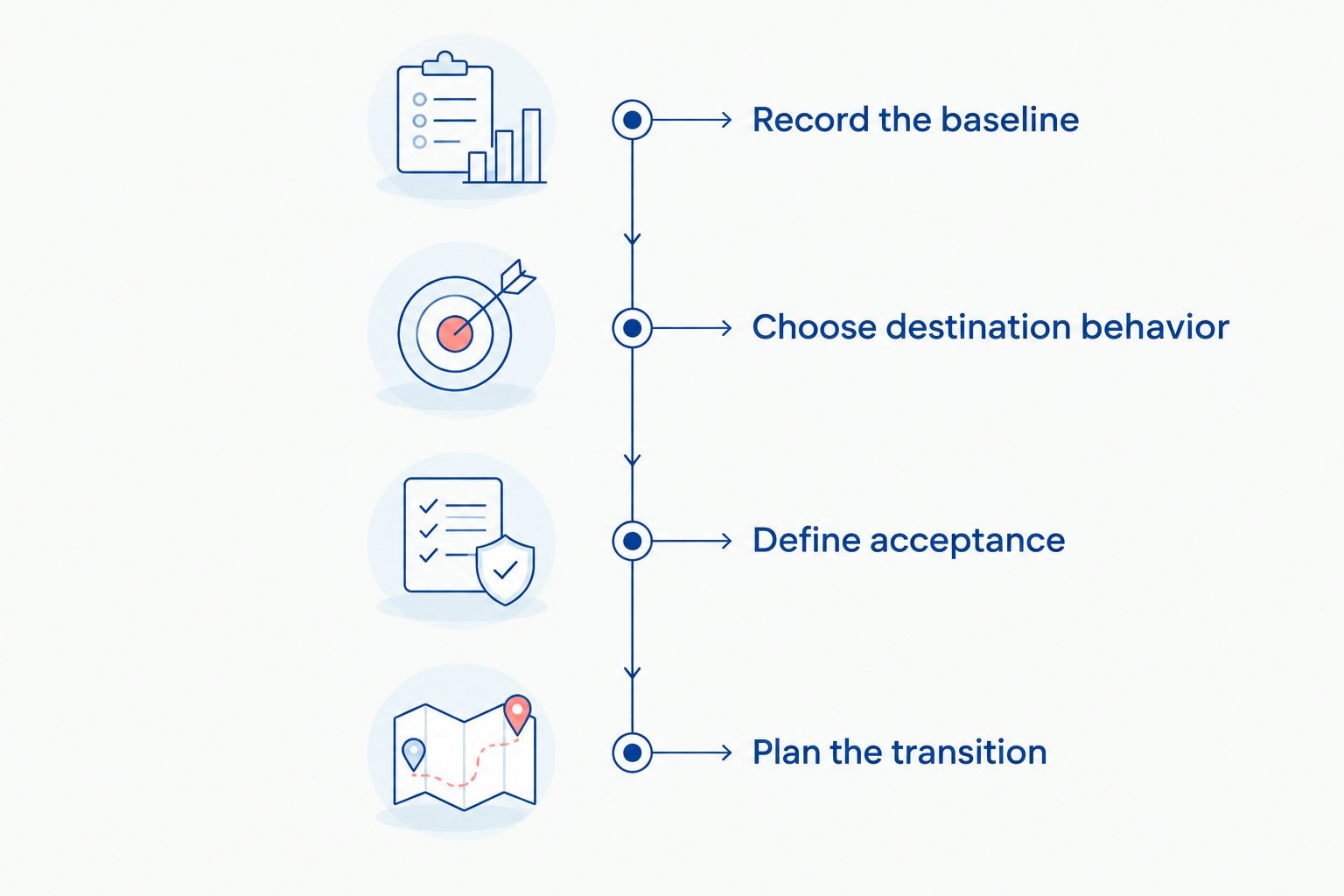
Before accepting a proposal, check that each stage has an owner and a deliverable. An activity such as “testing” is not specific enough without the cases, evidence, and approval responsibility.
What ongoing commitments belong beside the migration scope?
The migration project and the operating model are separate decisions. Review platform subscriptions, app subscriptions, payment arrangements, support, and integration maintenance before approving the move.
Use a 12-month planning horizon to compare the proposed setup with your current operation. This is a budgeting recommendation, not a claim about typical migration duration or payback.
For a 2026 comparison, verify current terms directly with the relevant providers. Identify the billing currency and contracting entity, and assess payment and tax requirements for each market you actually serve.
Do not assume US, UK, EU, and GCC operations share the same payment availability or business requirements. Where jurisdiction matters, assign verification to an appropriately qualified owner.
How can you reduce migration work without weakening the launch?
Reduce unnecessary scope, not validation. Remove unused features, resolve duplicate data, approve content early, and make explicit decisions about historical information before implementation begins.
Separate required launch behavior from later improvements. A new loyalty workflow, a complete content rewrite, and a platform migration do not automatically belong in the same release.
Require 2 rehearsal passes as a planning starting point: an initial transfer to expose mapping problems and a repeat after corrections. Add further passes when unresolved defects or changing data require them; a fixed count is not proof of readiness.
Thefiniteloop's ecommerce development services are relevant when you need implementation beyond transfer tooling. They are not a reason to replace working software: retain the current store when targeted repairs meet the business need.
Is moving to Shopify cheaper than fixing WooCommerce?
Neither option is inherently the better business decision. Compare a documented repair scope against a documented migration scope, including ongoing responsibilities and the operational disruption each introduces.
Repair WooCommerce when a contained change resolves the defined problem. Consider migration when the destination meets essential requirements and offers an operating model your team has deliberately chosen.
What should a migration quote exclude explicitly?
A migration quote should identify every responsibility that remains with you or another supplier. Typical boundaries to clarify include content creation, account approvals, external system changes, staff training, and post-launch maintenance.
An exclusion is acceptable when someone owns it. An unassigned dependency is a launch risk, even if every supplier has fulfilled its individual contract.
FAQ
What’s included in WooCommerce to Shopify migration cost?
WooCommerce to Shopify migration cost should be broken into data transfer, storefront work, functional replacement, integrations, search continuity, and launch support. Require explicit inclusions and exclusions for each workstream.
Can I migrate my store myself?
You can assess a self-managed migration when the destination requirements are straightforward and you can own data validation and launch testing. Transfer tools do not remove responsibility for business rules, integrations, or order reconciliation.
Will every WooCommerce plugin work on Shopify?
Do not assume a WooCommerce plugin transfers to Shopify. Map the behavior you need and confirm whether the destination supplies it through native functionality, an app, or custom development.
Do I need to redesign my store during migration?
A full redesign is not automatically required by a migration. Separate necessary destination changes from optional improvements so design decisions do not obscure the essential launch scope.
Can a migration affect my Google traffic?
A migration can affect search visibility when URLs, content, indexing controls, or internal links change. Map existing landing pages, validate their destinations, and monitor search performance after launch; do not treat redirects as a traffic guarantee.
Who should own the accounts after migration?
Your business should control the platform account, domain, payment accounts, and business-critical integrations. Define supplier access and document ownership of custom code and configuration in the contract.
How do I compare migration proposals in 2026?
Compare 2026 migration proposals against the same requirements, exclusions, acceptance tests, and support boundaries. A smaller scope is not equivalent to a complete operational migration.
One last thing
The last WooCommerce order matters as much as the first Shopify order. Your cutover plan must account for orders still awaiting fulfillment, refunds, or customer support after the destination starts accepting new business.
Before approving launch, ask a specific question: who handles an existing order when a customer requests a change? The answer should identify the system, the responsible person, and the reconciliation process—not simply say “migration complete.”
Related guides
- What to include in an ecommerce development budget
- How to accept software delivery before final payment
- Who should own ecommerce maintenance after launch
Your project next
Let’s build what matters
Schedule a consultation to discuss your goals and technical needs.